
RowHQ / Behind the build
From the rowing club to the screen.
RowHQ began with the work around Oundle Town Rowing Club. This is the story of bringing sessions, crews and boats into the same club record, told through the product itself.
Oundle Town Rowing Club / River Nene
 By Jason BurnsFounder, HQ Software
5 min read
01 / The starting point
The work around the rowing.
A club outing begins before a boat reaches the water. Someone needs to know who is coming, which coach is taking the session and what hull the crew can use. When those answers live in different places, the volunteers have to join them up.
Our founder, Jason Burns, rows and coaches at Oundle Town Rowing Club on the River Nene. He started rowing in 2004 and has built software since 2009. RowHQ brought those two parts of his life together.
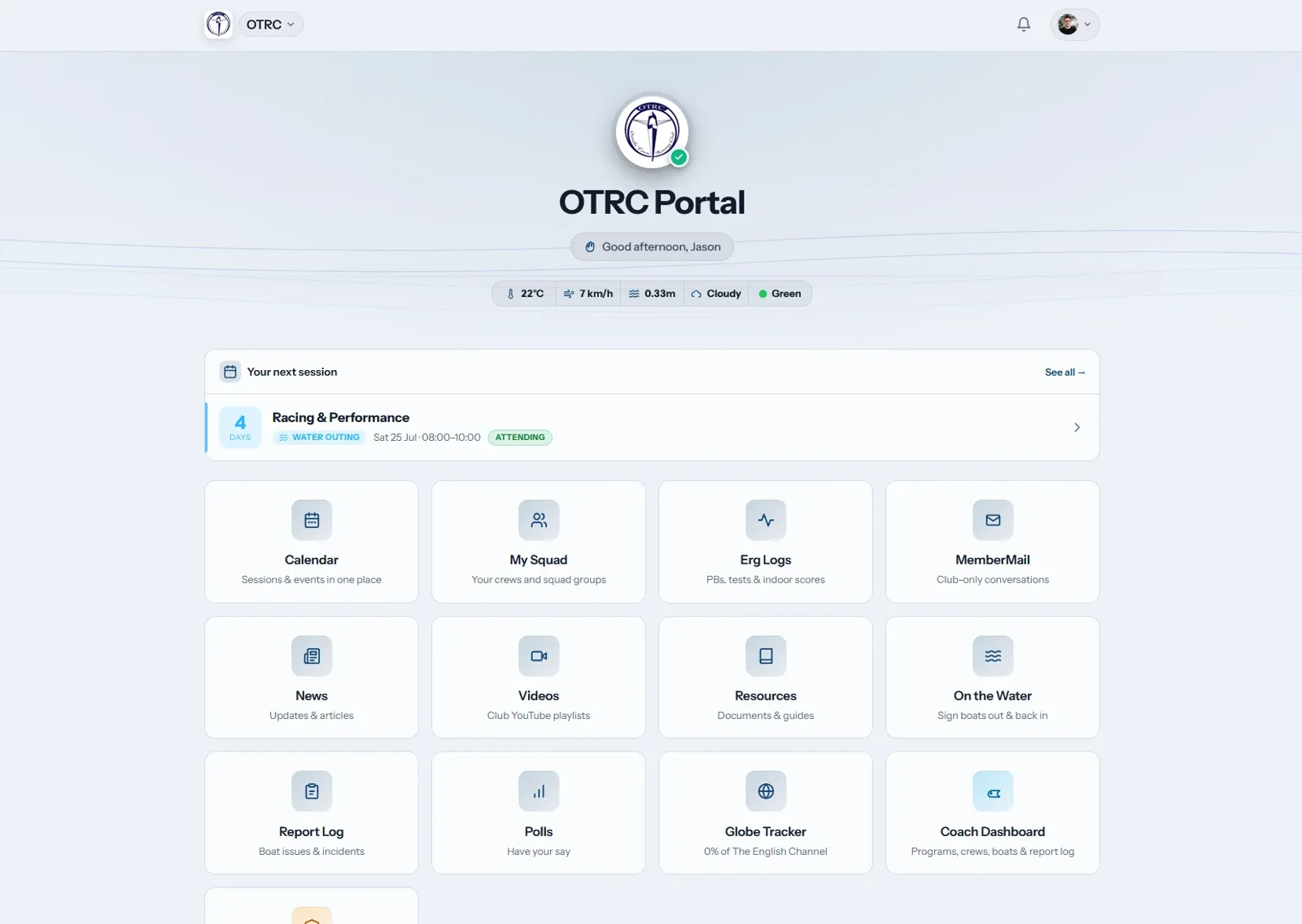
The public Oundle story describes a club using spreadsheets, WhatsApp groups, email and paper records. It records a RowHQ trial in 2025. That club setting explains the product better than a list of features: its starting point was the ordinary work of getting an outing organised.
03 / The coach view
Give the crew a shape.
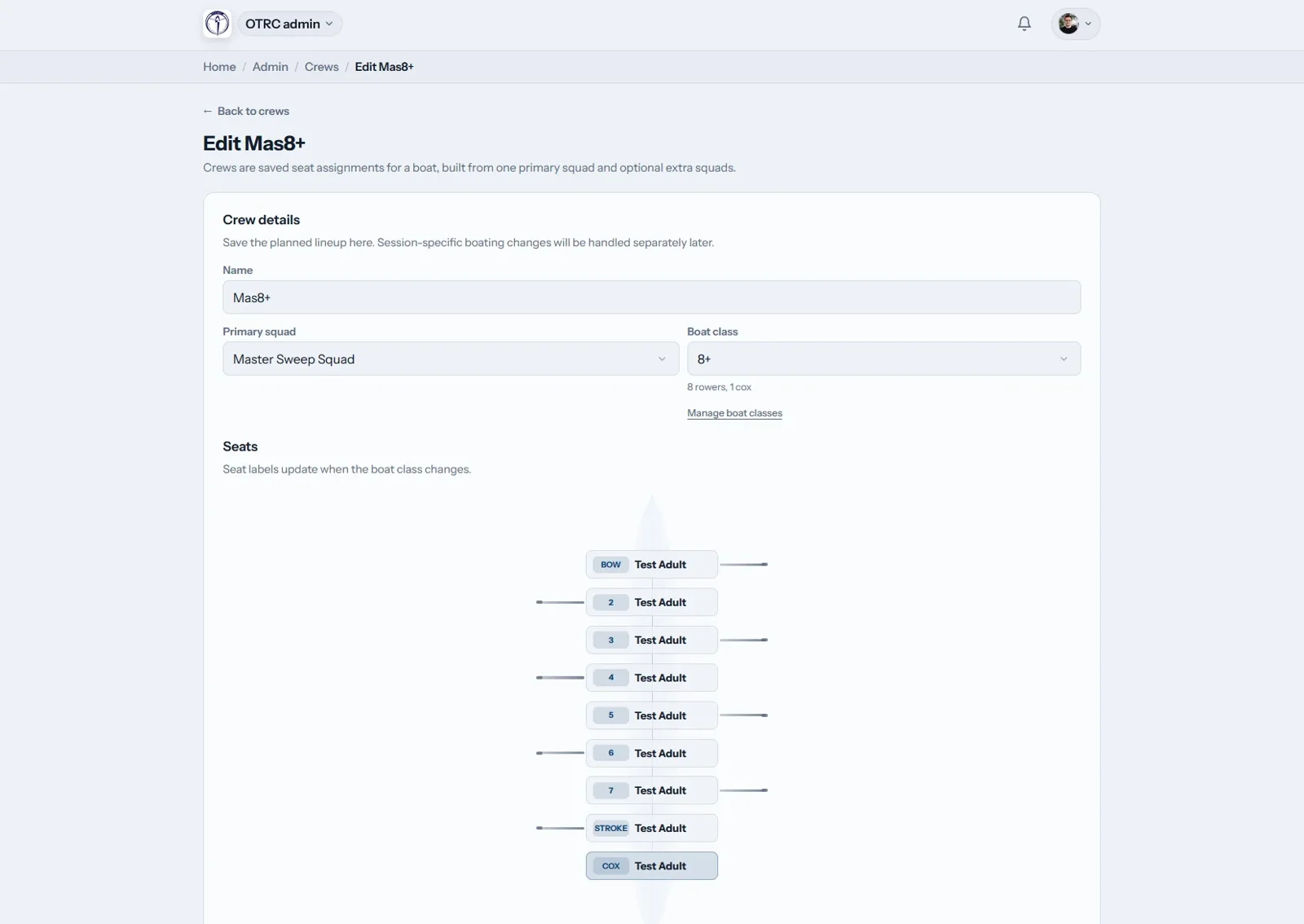
A rowing crew has seats, sides and a boat class. The crew editor makes those details visible. Its layout follows the boat, with named seats from bow to stroke and a place for the cox.
In the screen below, the boat class determines the seat labels. A primary squad sits with the crew details. The saved lineup is separate from changes for an individual session. Those distinctions help explain what the coach is editing.
This is where a sport-specific interface earns its place. A plain list of names would lose the relationship between a person and their seat. Keeping the boat visible gives the coach a way to read the whole crew.
04 / The boat record
Keep the outing with the boat.
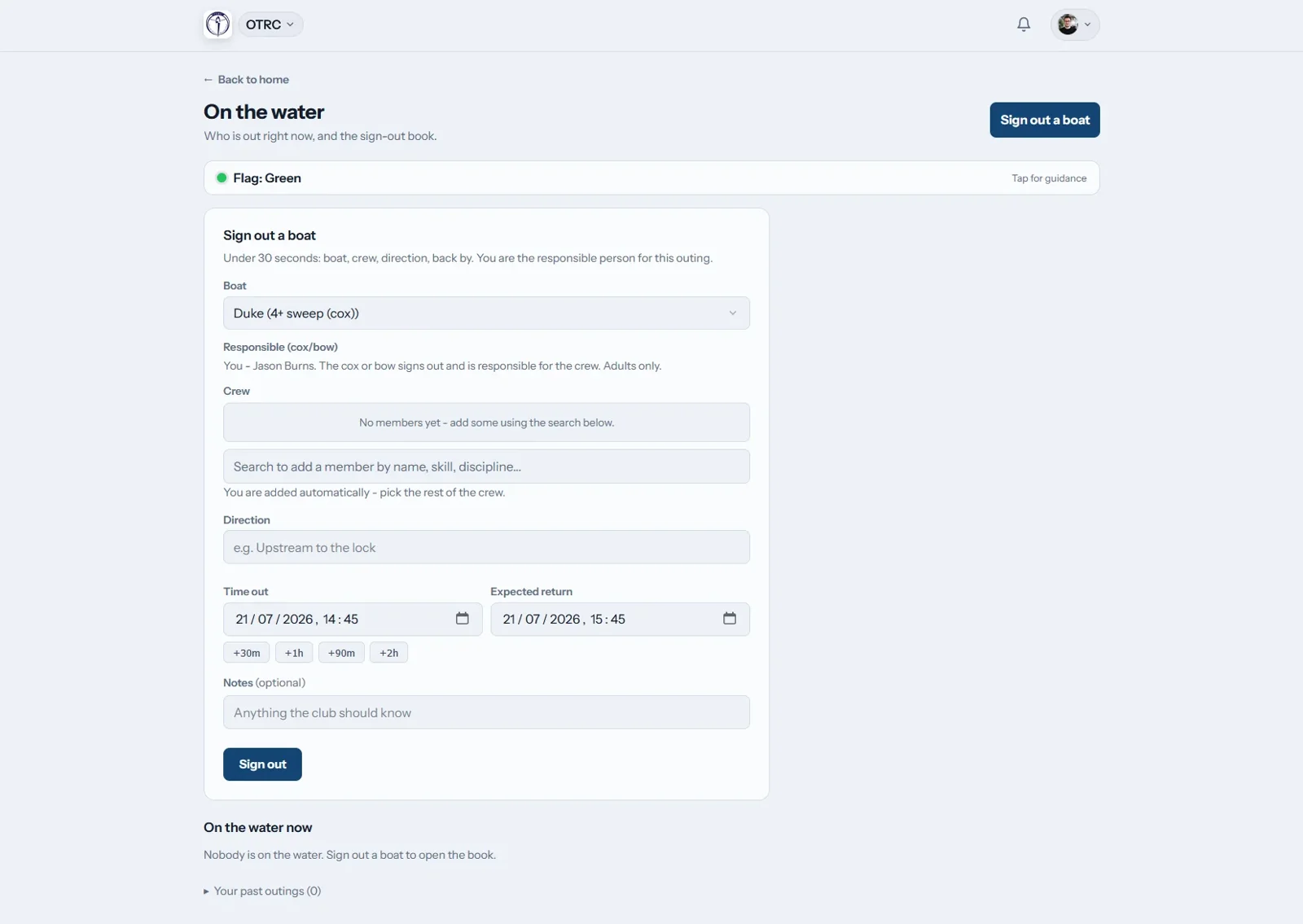
A reservation and an outing are different records. A booking describes a plan. Signing out describes a boat leaving the boathouse. The boat sign-out screen asks for the craft, crew, direction and expected return.
The form also names the responsible person. That is a practical detail: the club needs to know who is taking responsibility for the outing, alongside the people and boat involved.
These records support club work. They do not make a safety decision for the coach or crew. Conditions, local rules and the decision to go afloat still need the people responsible for them.
05 / Introducing it
The club has to move with the software.
The Oundle account describes importing member records, configuring the fleet and session programme, training the committee and coaches, then inviting members. Introducing the app involved people and existing records as well as screens.
For another club, the useful question is which routine to move first. One familiar session gives members something concrete to respond to. A coach can check the attendance and crew plan. The committee can check who needs access.
Our guide to rowing club boat bookings goes into the records and responsibilities behind that routine. The full Oundle account is linked below for readers who want the source story.
06 / What carries forward
Build around the job people recognise.
The RowHQ screens show three useful design principles: put the next task first, keep related records together, and use the language of the people doing the work. A crew needs seats. An outing needs a boat and a return time.
That approach informs the wider HQ Software family. It does not mean every app should look or work exactly like RowHQ. A sailing duty and a canoe trip have their own responsibilities. Each product needs to explain those clearly.
RowHQ remains a separate product with its own website and support. Its gallery is the place to inspect more screens. Current plans and joining options belong there too.
The source material
Follow the story.
These public RowHQ pages document the club background and the product shown here. This story is written by the team that builds RowHQ.
For your own club
Work through the practical parts.
How to run rowing club boat bookings without the spreadsheet
What goes wrong when a rowing club runs boat bookings on a spreadsheet and a group chat, and what to look for in a system that ties the boat, the crew and the session together.
Club membership software: what a volunteer committee actually needs
Written for the membership secretary who inherited a spreadsheet: what a member record must hold, how renewals and payments should run, what to keep for juniors, how to hand the job on without losing anything, and how the UK suppliers count members when they bill you.
Explore RowHQ
See the product
for yourself.
The RowHQ website has the current product detail, gallery and joining options. Our overview explains where it fits in the HQ Software family.
Back to build stories