
SailHQ
AvailableDuties, boats, members and race programmes for sailing clubs.
Sports clubs
The next outing starts with one shared plan.
RowHQ is rowing club management software. It brings boat bookings, crew planning, sessions, squad messaging and member records into one system, so the people running the club share one view of the work around each outing.
For members of clubs using RowHQ. Also available in your browser.
Key features
RowHQ in practice
Follow the work around an outing. Start with the boat-booking form, then watch two short films of RowHQ on a phone.
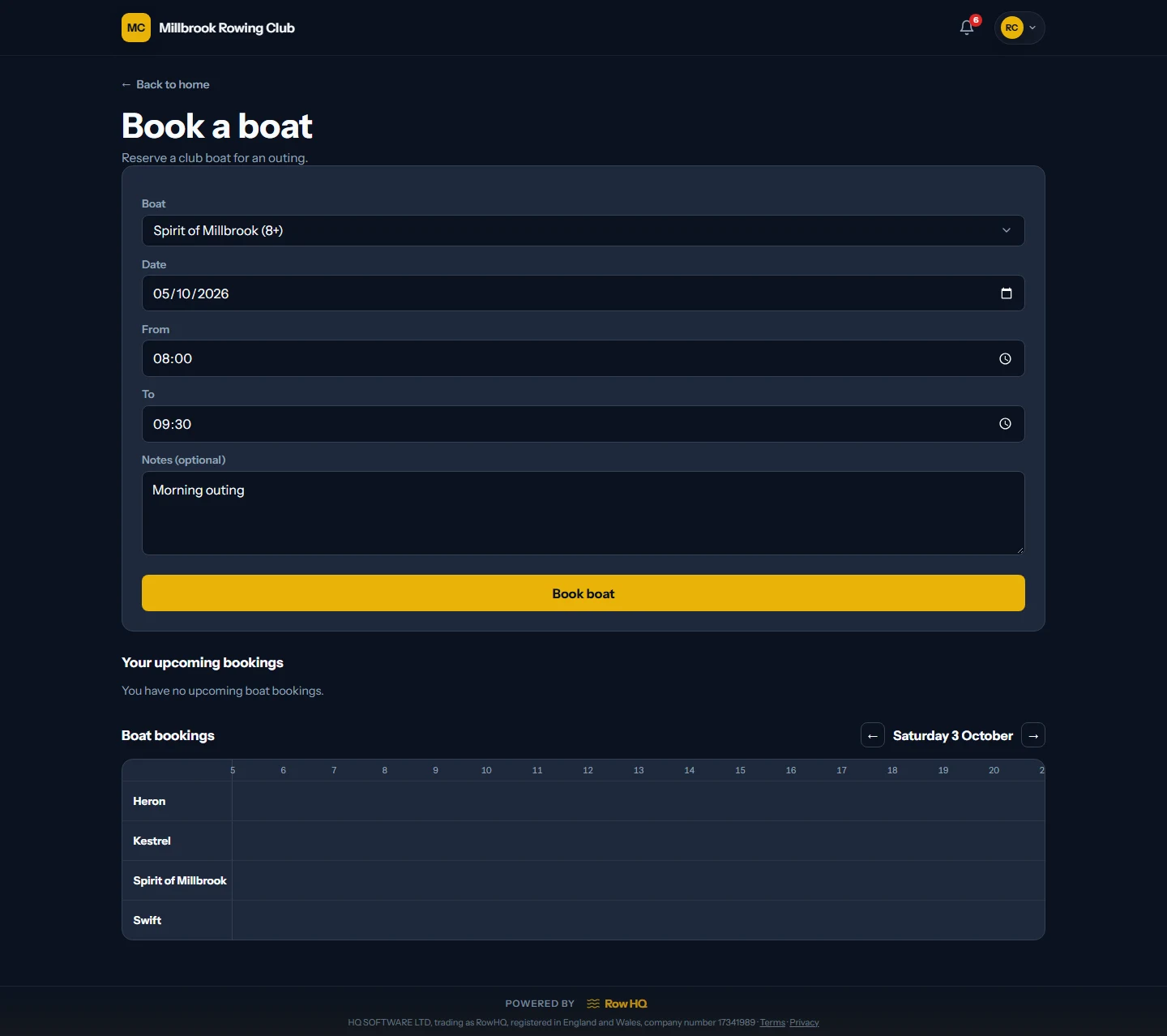
Choose the boat and set your outing date, start time and finish time. Add a note if needed, then book. Your club sets its booking rules. This is the current RowHQ form with example Millbrook club data.
Rosie joins the Sunday outing from her phone. The coach can see who is coming before deciding how to arrange the crews.
The coach assigns Rosie to stroke in an eight. Watch the seat plan fill up, then see Rosie record a 2k personal best.
See the committee check membership, approve a swim test, collect outing fees and send a river-closure alert.
The film introduces the example club, then shows Rosie joining an outing at 00:04. At 00:14, a coach selects a boat and assigns Rosie to stroke in an eight. At 00:26, Rosie records a 2k personal best. It ends with the RowHQ website and supported platforms.
The member list appears at 00:03. At 00:09, a member uploads a swim-test document and an administrator approves it. At 00:16, the treasurer charges outing fees from six member wallets. At 00:24, the committee sends a river-closure alert. A montage at 00:31 shows squads, boat sign-out, challenges and a membership card. The phone notification is an illustration.
Boat reservations, outing attendance and crew seating are separate tasks. Your club decides who can book and how crews are organised. The films use fictional members and records.
Inside RowHQ
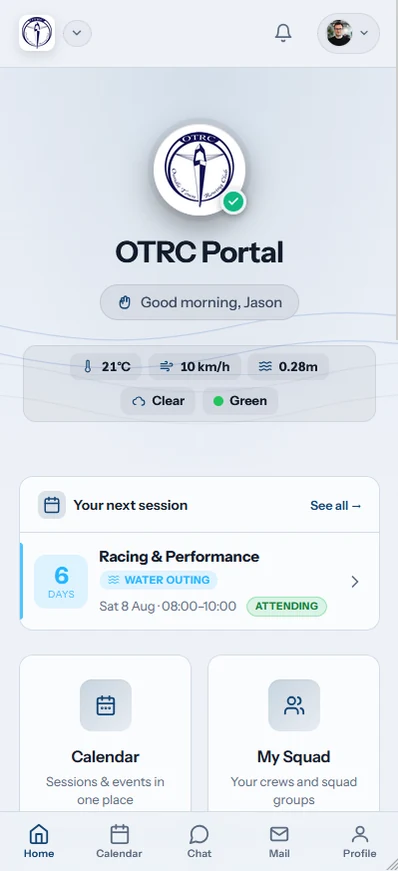
Before an outing, members need the river conditions and their next session. The dashboard puts those first. Coaches and the committee use the same club system for attendance, hulls and crew planning.
See the RowHQ gallery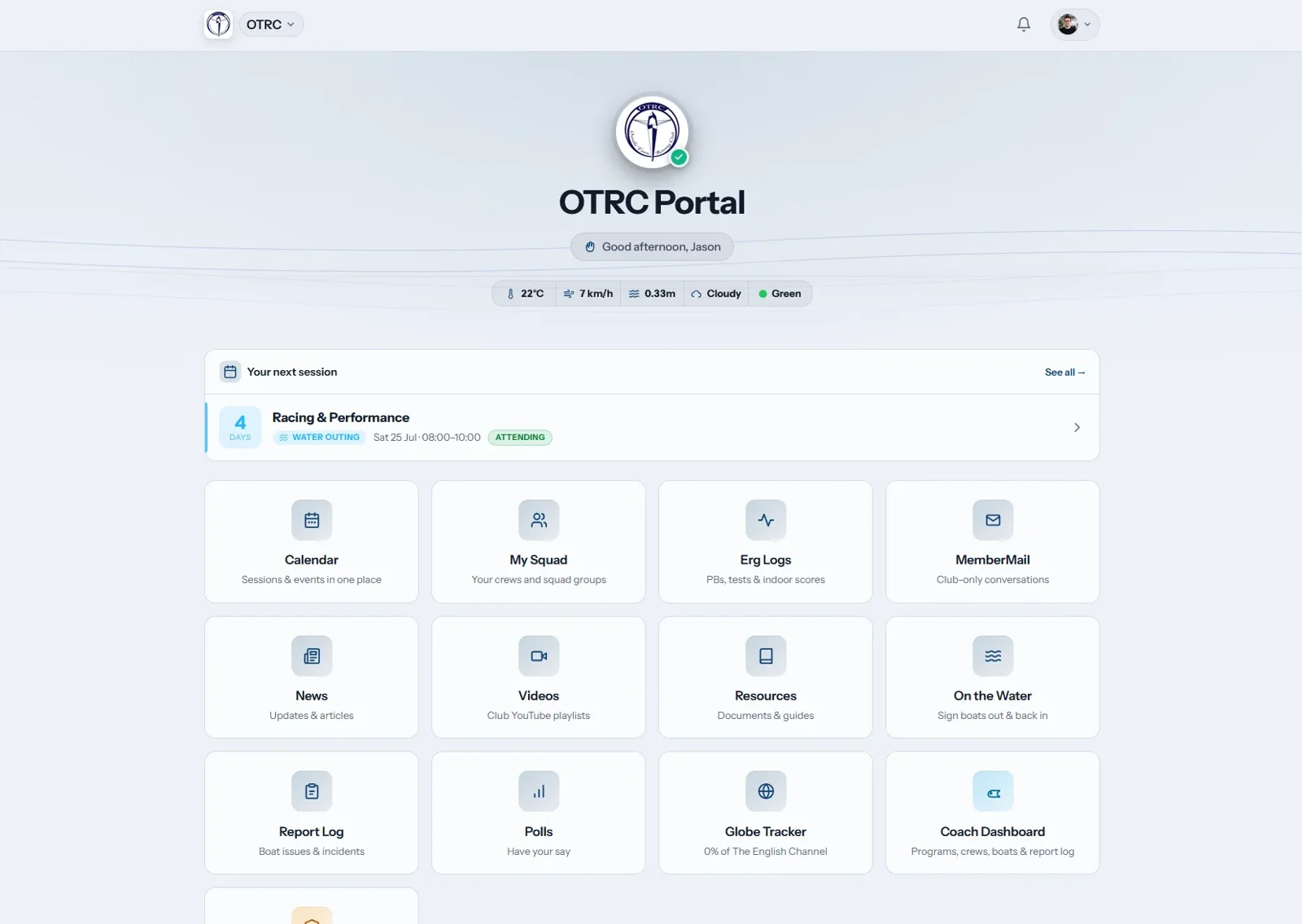
The thinking behind it
A rowing outing depends on more than a calendar entry. The right athletes need to attend, the hull must be available and the crew needs to know the plan. Generic club management software treats those as three separate lists. We built RowHQ around the connected jobs rowing clubs actually have, with a member portal for rowers and working records for coaches, captains and the committee.
A closer look
Create water sessions and erg training, then collect member responses against the session. Coaches can work from the attendance list when putting crews together, with rowing side and experience in view. Members have a clear place to check the plan and say whether they are coming.
Boat bookings sit alongside crew planning and the club fleet. Check availability before allocating a hull so two outings do not depend on the same boat at the same time. The setup covers club boats and singles rather than treating every booking as an unnamed calendar slot.
Member profiles, membership records and club information give volunteers a shared reference for day-to-day administration. Parents can handle junior responses and consent information. Committee tools cover dues, club payments, records and exports, while members can reach their own details without asking an admin to forward a spreadsheet.
Regatta and event organisation can collect interest and keep deadlines and practical details together. Squad messaging reaches everyone or only the people affected, through club chat, member mail and push alerts. Outing logs and incident records support the club's own processes on the water. These records help people organise the activity; the club remains responsible for its operating decisions.
In practice
A typical way a coach and members can use RowHQ together.
Set out the training session so rowers and parents can respond in one place.
Use the responses, rowing sides and experience to arrange the people taking part.
Check the hull's availability and keep the crew and outing details with the plan.
Is it right for your club?
A captain, coach and membership volunteer should each recognise their own work. Use these four checks when you explore RowHQ.
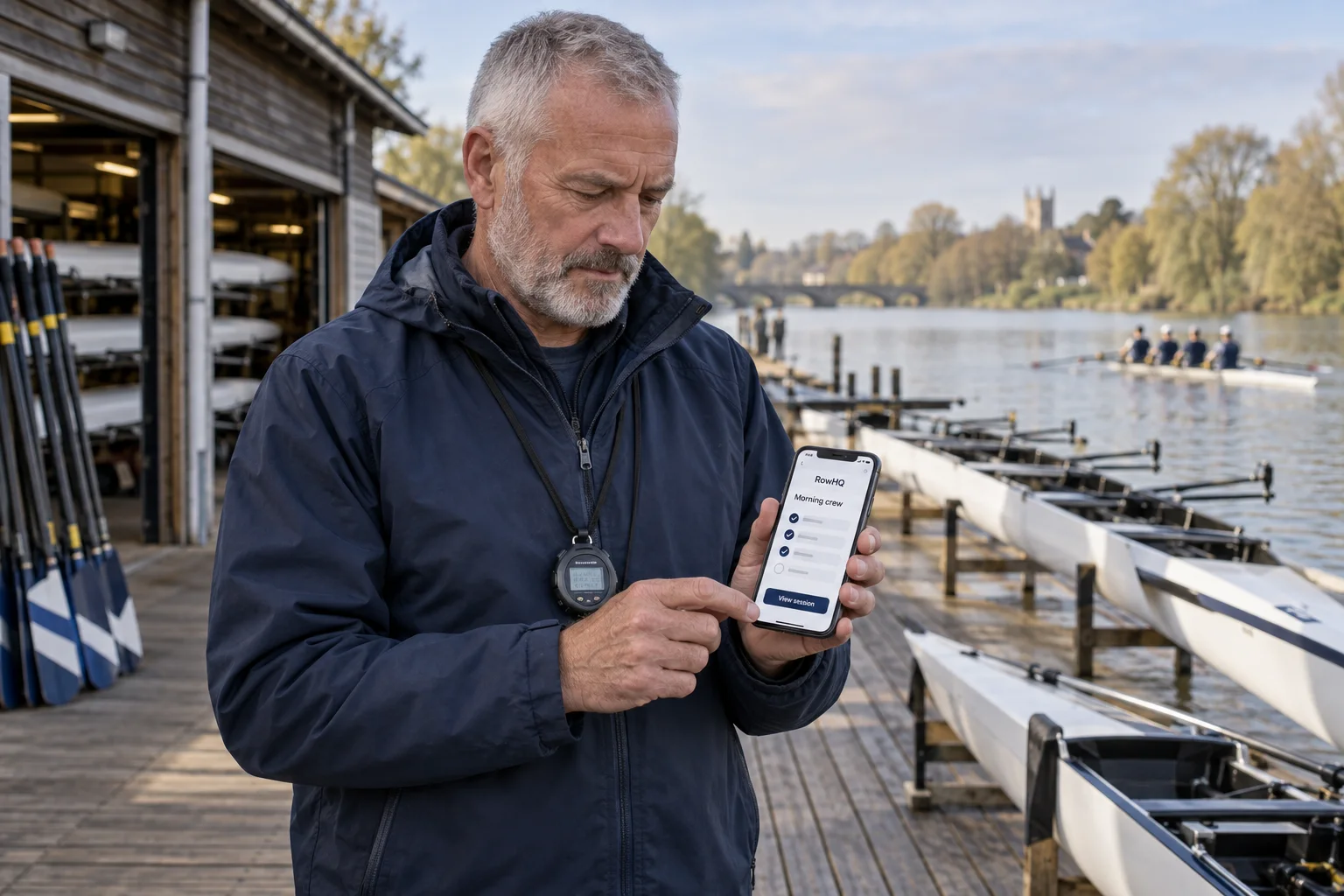
Members can check sessions and crews in the app or their browser. Sign in with an account from a club that uses RowHQ.
Choose a water or erg session. Check how members respond and how the coach sees attendance.
Try the seats, rowing sides and hulls you use. Follow a crew change through to the boat booking.
Look at parent access, consent records and the information each club role can reach.
Check how interest, crew details and club messages stay with the event.
Before you get started
No. RowHQ works in a browser. It also has iOS and Android apps for members who prefer them, using their RowHQ account. That account does not imply shared access to other HQ products.
Yes. RowHQ describes club branding with your logo, colours and a club subdomain. Visit the product site to see the current setup options and discuss what your club needs.
No. Rowers use it for their own sessions and information, parents can help manage junior participation, and committee members have administration tools. The relevant work depends on each person's club role.
Explore RowHQ
Start with the product gallery, then ask for a walkthrough using your own club tasks. Current plans and joining options live on RowHQ.
Your next step
Duties, boats, members and race programmes for sailing clubs.
Sports clubs
Membership, craft, sessions and trip records for canoe and kayak clubs.
Sports clubs
Club software being built around gliding operations.
Sports clubs